
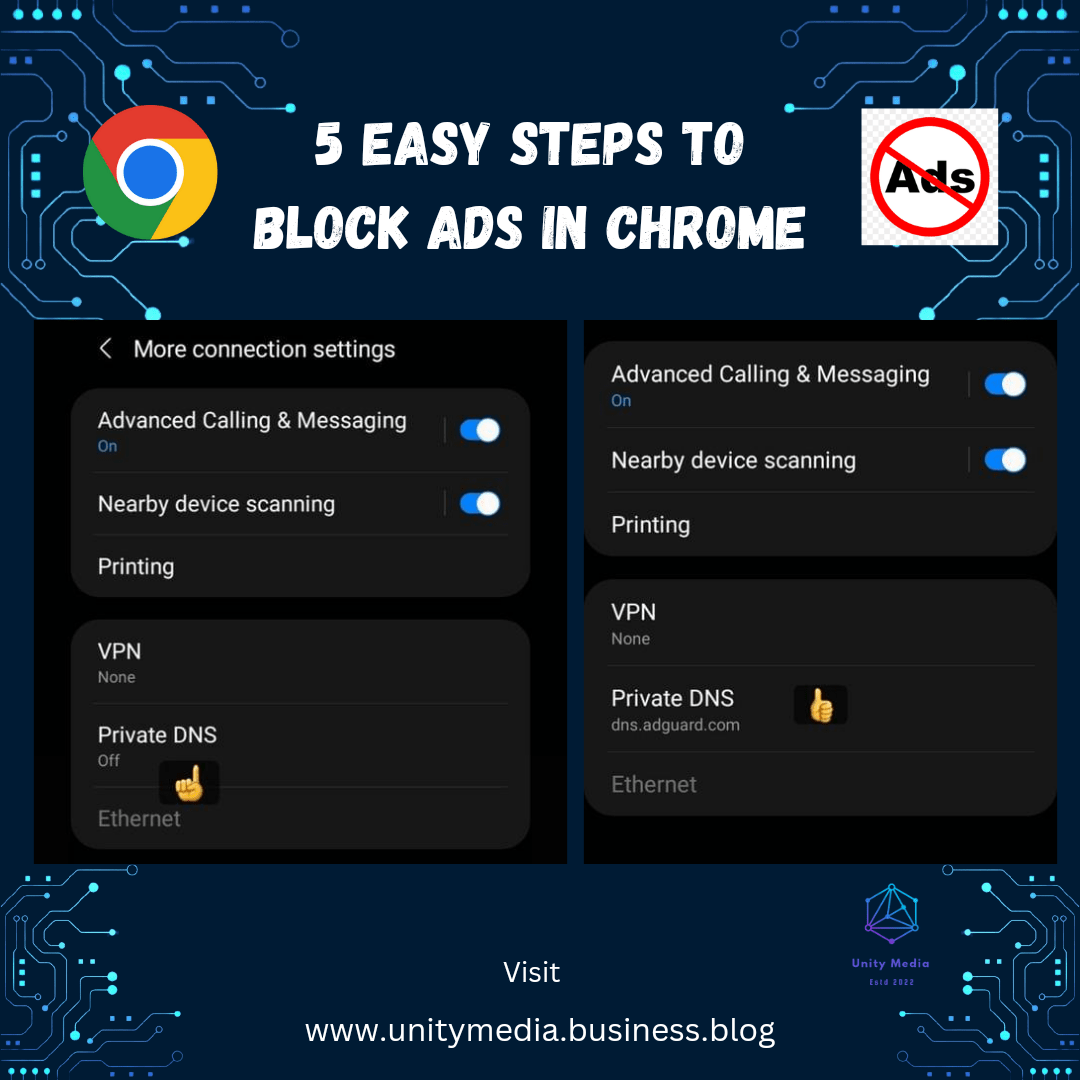
How to block Ads in Google Chrome without using any apps here is the 5 easy steps 👇
1) Go to settings
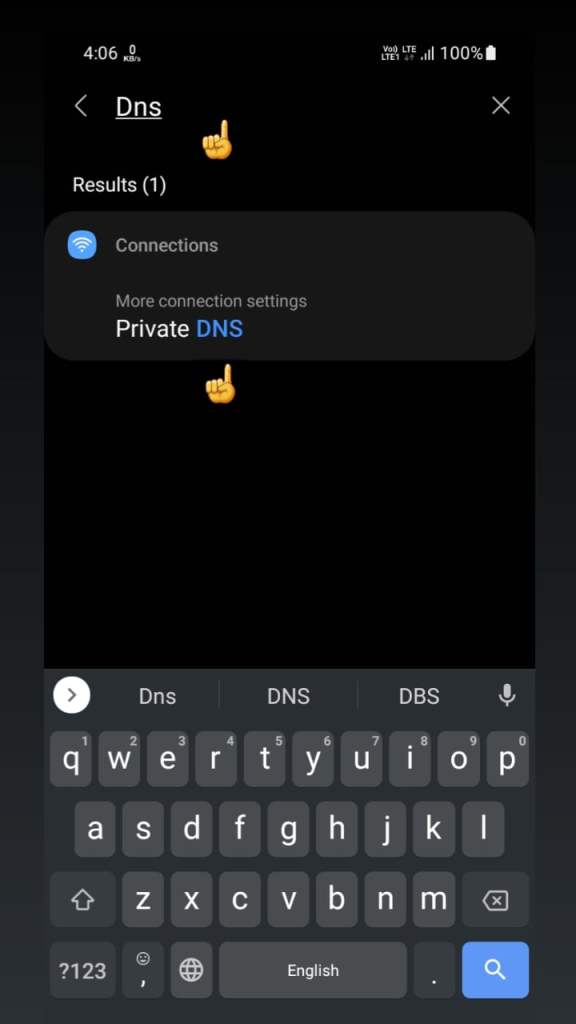
2) Search DNS in settings
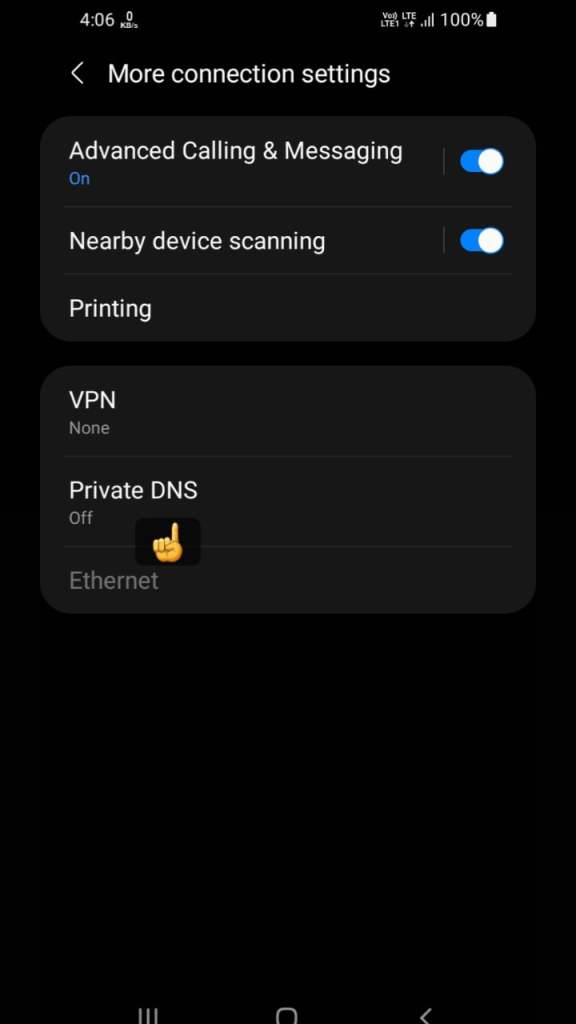
3) Click on private dns option
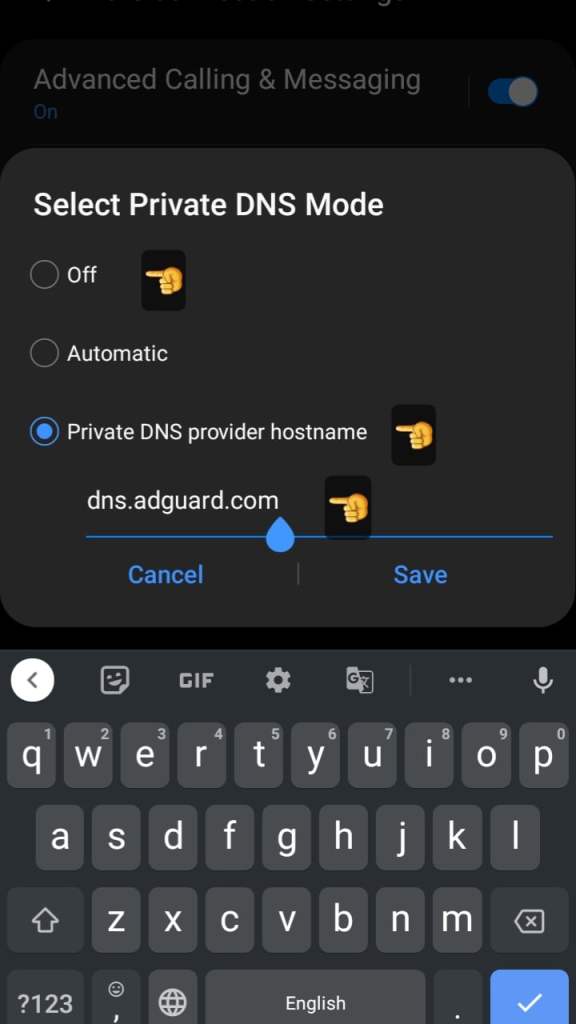
4) Change the mode into off to private dns provider
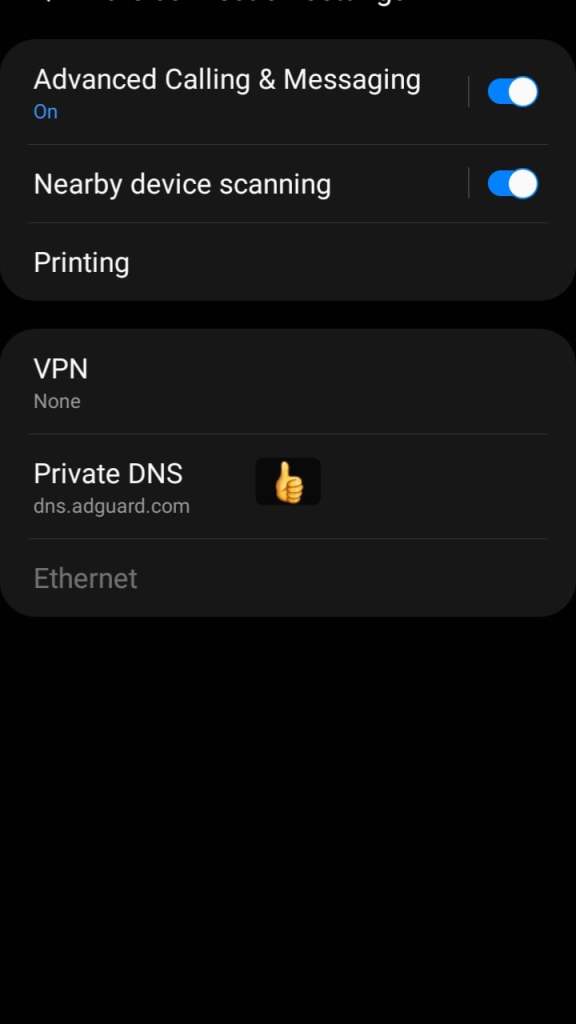
5) And enter ( dns.adguard.com ) and save
Now you can browse google chrome without any ads see below screenshots to follow step by step how to activate private dns in smartphone
Published by Bk Prasad founder & managing editor at Unitymedia
 Unity Media